
Automation in Digital Marketing: How Make.com, n8n & Claude Can Transform Your Marketing Workflow
Digital marketing is no longer just about creating great content. Today, marketers need to manage social media, generate leads, publish content, analyze performance, send follow-ups, manage customer data, and maintain a consistent online presence across multiple platforms.
Doing all of this manually can consume hours every week.
This is where digital marketing automation becomes powerful.
With automation platforms such as Make.com and n8n, combined with AI tools such as Claude Pro, businesses and digital marketing agencies can automate repetitive marketing tasks, reduce manual work, improve consistency, and create scalable marketing systems.
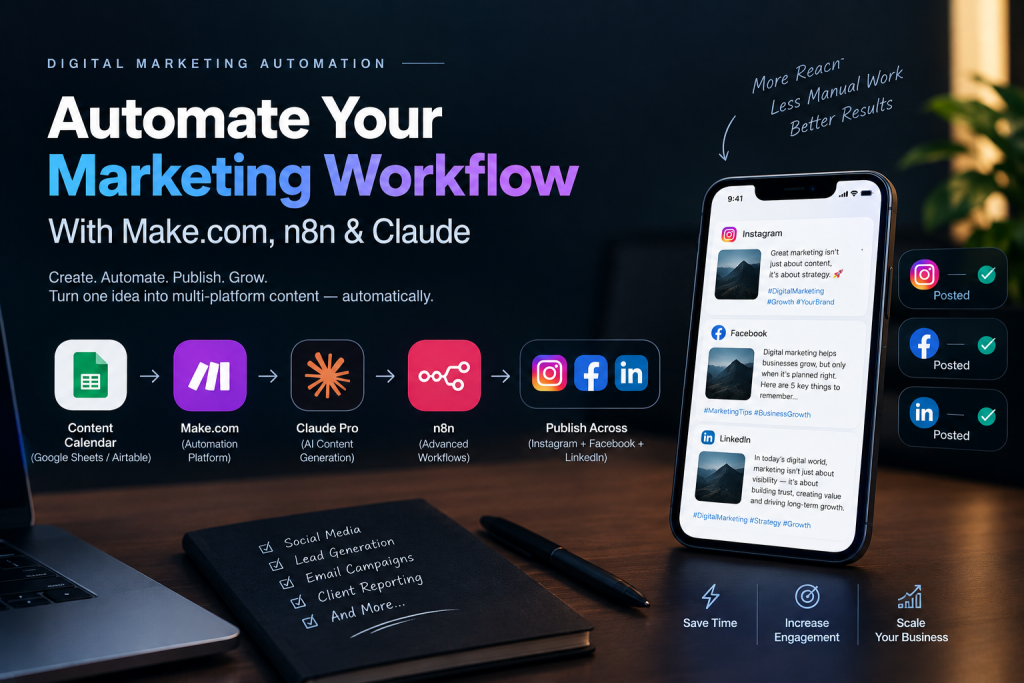
One of the most useful applications is social media automation—where a single piece of content can be transformed and distributed across platforms such as Instagram, Facebook, and LinkedIn through an automated workflow.
⸻
What Is Digital Marketing Automation?
Digital marketing automation is the use of software, workflows, APIs, and AI tools to automatically perform repetitive marketing activities.
Instead of manually completing every step, you create a workflow such as:
Idea → AI Content Creation → Approval → Social Media Formatting → Publishing → Reporting
For example, imagine you want to publish a post about your latest digital marketing service.
Instead of:
- Writing the caption manually
- Creating different versions for Instagram, Facebook, and LinkedIn
- Copying the content between platforms
- Uploading the post individually
- Recording the publishing details
- Checking performance manually
You can build an automated workflow that handles much of this process.
⸻
Make.com vs n8n: Which Automation Platform Should You Use?
Two popular platforms for building marketing automation workflows are Make.com and n8n.
Both allow different applications and services to communicate with each other and trigger actions automatically.
Make.com
Make.com is a visual automation platform that is particularly useful for marketers because its interface makes it relatively easy to build workflows.
A typical workflow might look like:
Google Sheets → Claude → Instagram → Facebook → LinkedIn → Google Sheets
For agencies that want to build marketing automations without spending significant time developing custom software, Make.com can be a practical option.
n8n
n8n is a workflow automation platform that provides extensive flexibility for creating complex workflows.
It can be particularly useful when you want:
- More customization
- API-based workflows
- Advanced logic
- Custom JavaScript
- Self-hosting
- Complex multi-step automations
- Greater control over your automation infrastructure
For a digital marketing agency, n8n can eventually become more than just a simple automation tool—it can become part of your internal marketing technology stack.
⸻
Where Does Claude Pro Fit Into Digital Marketing Automation?
Automation platforms are excellent at moving information between applications.
AI tools are excellent at working with information.
This combination creates powerful workflows.
For example:
Make.com / n8n = Workflow Engine
Claude = AI Content & Reasoning Layer
Instead of simply moving a piece of text from one application to another, Claude can help transform the content before it reaches the next platform.
For example:
One Topic
“Why local businesses need Google Business Profile optimization”
Claude can generate different versions:
Instagram:
Short, engaging caption with a strong hook and relevant hashtags.
Facebook:
A slightly longer educational post designed for discussion.
LinkedIn:
A professional, insight-driven post aimed at business owners and marketing professionals.
The automation platform can then send those outputs to the appropriate publishing workflow.
⸻
Social Media Automation: Instagram + Facebook + LinkedIn
One of the most useful automation systems for a digital marketing agency is a multi-platform content distribution workflow.
Imagine maintaining a content calendar in Google Sheets or Airtable.
Your sheet could contain:
Date Topic Content Type Status
Sept 28 SEO for Local Business Educational Ready
Sept 30 Social Media Tips Carousel Ready
Oct 2 Digital Marketing Trends Thought Leadership Ready
The automation can monitor the content calendar.
When a post reaches the required status, the workflow can start.
Step 1: Content Trigger
The workflow detects:
Status = Ready
Step 2: Send Topic to Claude
Claude receives the topic and instructions.
For example:
Create social media content for a digital marketing agency. Create separate versions for Instagram, Facebook, and LinkedIn. Keep the tone professional, useful, and engaging.
Step 3: Claude Creates Platform-Specific Content
Instead of publishing exactly the same text everywhere, Claude can adapt the content.
Shorter caption + hook + CTA + hashtags.
More conversational explanation + CTA.
Professional insight + business-oriented perspective.
Step 4: Content Approval
Before publishing, you can add a human approval stage.
For example:
AI Generated → Review → Approved
This is especially important for agencies managing content for clients.
Step 5: Publishing
Once approved, the automation can send the content to the appropriate social publishing integrations or APIs.
Depending on the platform, account type, API permissions, media requirements, and publishing method, the workflow may publish directly or route the content through a supported social-media publishing service.
Step 6: Record the Result
The automation can update your content calendar:
Status → Published
It can also store:
- Publishing date
- Platform
- Post URL
- Campaign name
- Content type
- Client name
This creates a centralized record of your marketing activity.
⸻
What Other Digital Marketing Tasks Can You Automate?
Social media publishing is only one use case.
There are many other areas where automation can save significant time.
- Lead Generation Automation
You can connect lead sources to your CRM.
For example:
Website Form → Make/n8n → CRM → Email → Sales Notification
When someone submits a lead form:
- Capture the lead.
- Add the contact to your CRM.
- Categorize the lead.
- Send a confirmation email.
- Notify the sales team.
- Create a follow-up task.
This means your team doesn’t have to manually enter every lead.
⸻
- AI Lead Qualification
AI can also help analyze incoming leads.
For example:
Lead Form → Claude → Lead Classification → CRM
Claude could analyze the information and categorize leads such as:
- High potential
- Medium potential
- Low potential
- Needs follow-up
The final decision can remain with your sales team while AI handles the initial organization.
⸻
- Automated Email Marketing
You can automate email sequences based on customer actions.
For example:
New Lead → Welcome Email → Wait → Educational Email → Offer → Follow-up
A more advanced workflow could detect user behavior.
For example:
Email Opened → Send Follow-up
or:
No Response → Send Reminder
or:
Clicked Service Page → Add to Marketing Segment
This allows businesses to create personalized customer journeys without manually sending every email.
⸻
- Content Repurposing Automation
One of the biggest opportunities for AI automation is content repurposing.
Imagine you publish one long-form blog.
Your workflow could transform it into:
1 Blog
↓
LinkedIn Post
↓
Instagram Caption
↓
Facebook Post
↓
X/Twitter Post
↓
Short Video Script
↓
Email Newsletter
↓
Carousel Content
Instead of creating every piece from scratch, Claude can help transform the original content into different formats.
This is particularly useful for digital marketing agencies managing multiple clients.
⸻
- Blog Publishing Automation
You can also automate parts of your blogging workflow.
For example:
Content Calendar → Claude → Draft → Human Approval → CMS → Social Media
A possible workflow:
- Topic is added to your content calendar.
- Claude creates an initial article.
- Automation sends the draft for review.
- Human approves the content.
- Article is published to the website.
- Social media content is generated.
- Posts are scheduled or published.
- Publishing information is stored.
This creates a complete content production pipeline.
⸻
- Automated Client Reporting
Digital marketing agencies spend a significant amount of time preparing client reports.
Automation can reduce this manual work.
For example:
Google Analytics / Ads / Social Media Data → Automation → Spreadsheet → Claude → Client Report
The system can collect:
- Website traffic
- Leads
- Ad performance
- Social media metrics
- Engagement
- Conversion data
Claude can then help summarize the data into an understandable report.
For example:
“Website traffic increased this month, while organic search generated the largest increase in qualified leads.”
The final report should still be reviewed by a human before being sent to the client.
⸻
- Automated Social Media Content Calendar
You can build a complete content calendar using Google Sheets, Airtable, or another database.
For example:
Date Client Topic Platform Status
28 Sept Client A SEO Tips Instagram Ready
29 Sept Client A SEO Tips LinkedIn Ready
30 Sept Client B Branding Facebook Draft
1 Oct Client B Branding Instagram Approved
Make.com or n8n can monitor the calendar and trigger different workflows based on the status.
This can turn your content calendar into the control center of your marketing operation.
⸻
- Automated WhatsApp Lead Workflows
For businesses that receive leads through WhatsApp, automation can connect incoming inquiries to your CRM or other business systems where supported.
A workflow could look like:
Customer Inquiry → CRM → Lead Classification → Sales Notification → Follow-up
For example, a customer asking about a service can be recorded automatically so the sales team doesn’t lose the lead.
WhatsApp automation needs to follow the platform’s API and messaging rules, particularly for business-initiated messages.
⸻
- Automated Google Business Profile Workflows
Local businesses can also benefit from automation around their Google Business Profile operations.
For example:
Customer Review → Database → Notification → Response Draft
Claude can help create a draft response based on the review.
A team member can then review and approve the response before publishing.
This is useful for restaurants, clinics, retailers, agencies, hotels, and other local businesses.
⸻
- Automated Competitor & Marketing Research
Automation can also help with research.
A workflow can collect information from permitted data sources and organize it into a database.
For example:
Research Sources → Data Collection → Database → Claude → Summary
Claude can then help organize information into categories such as:
- Competitor positioning
- Content themes
- Frequently discussed topics
- Marketing opportunities
- Customer questions
This can help marketers make their content strategy more systematic.
⸻
A Complete AI-Powered Digital Marketing Automation System
A digital marketing agency can combine all these ideas into one ecosystem.
For example:
Content Calendar
↓
Make.com / n8n
↓
Claude AI
↓
Content Generation
↓
Human Approval
↓
Social Media Publishing
↓
Lead Generation
↓
CRM
↓
Email Marketing
↓
Analytics
↓
Automated Reporting
This transforms automation from a simple “post something automatically” system into a complete digital marketing operating system.
⸻
Example: One Content Idea → Multiple Marketing Assets
Suppose your agency wants to publish:
“5 Digital Marketing Mistakes Small Businesses Make”
The automation can send this topic to Claude.
Claude creates:
A concise caption with a strong opening hook and CTA.
An educational post explaining the five mistakes.
A professional business-focused post.
Blog
A long-form SEO article.
A newsletter version.
Video
A short-form video script.
The automation system can then send each asset to the appropriate destination.
One idea can become an entire content campaign.
⸻
Make.com or n8n: Which One Should a Digital Marketing Agency Use?
The answer depends on your requirements.
Make.com can be attractive when you want:
- Visual workflows
- Faster setup
- Marketing-friendly automation
- Easier integration building
- Less technical complexity
n8n can be attractive when you want:
- Advanced workflows
- API-heavy systems
- Custom logic
- Greater technical control
- Self-hosting options
- Complex automation architecture
Many agencies can start with simpler visual workflows and gradually move toward more advanced automation as their requirements grow.
⸻
The Human Should Still Be in the Loop
Automation does not mean removing humans from marketing.
The most effective approach is often:
AI + Automation + Human Judgment
AI can help with:
- Ideas
- Drafting
- Summarization
- Repurposing
- Classification
- Data organization
Automation can handle:
- Triggers
- Data movement
- Notifications
- Scheduling
- Workflow execution
- Record updates
Humans should handle:
- Strategy
- Brand positioning
- Final approval
- Sensitive communication
- Creative direction
- Client relationships
- Quality control
This combination creates a scalable marketing workflow without sacrificing brand quality.
⸻
The Future of Digital Marketing Is Automated
Digital marketing agencies are moving from manual task execution toward systems and automation.
The competitive advantage isn’t simply using AI to write a caption.
The bigger opportunity is building a system where:
AI creates → Automation moves → Humans approve → Platforms publish → Analytics measure → AI summarizes → The system improves.
Tools such as Make.com, n8n, and Claude can become important building blocks of that system.
For a digital marketing agency, this means you can spend less time copying and pasting information between platforms and more time working on strategy, creativity, client relationships, and business growth.
⸻
Final Thoughts
Digital marketing automation is not about replacing marketers.
It is about giving marketers leverage.
A well-designed automation system can turn hours of repetitive work into a workflow that runs with minimal manual intervention.
Whether you’re managing your own brand or running a digital marketing agency, starting with one workflow—such as Instagram + Facebook + LinkedIn content distribution—can be a practical first step.
From there, you can expand into lead generation, CRM management, email marketing, content repurposing, reporting, customer follow-ups, and complete AI-powered marketing operations.
The future belongs not just to marketers who create great content, but to marketers who know how to build systems that distribute, measure, and improve that content at scale.